

- Please navigate to Settings > General > Upload Data.
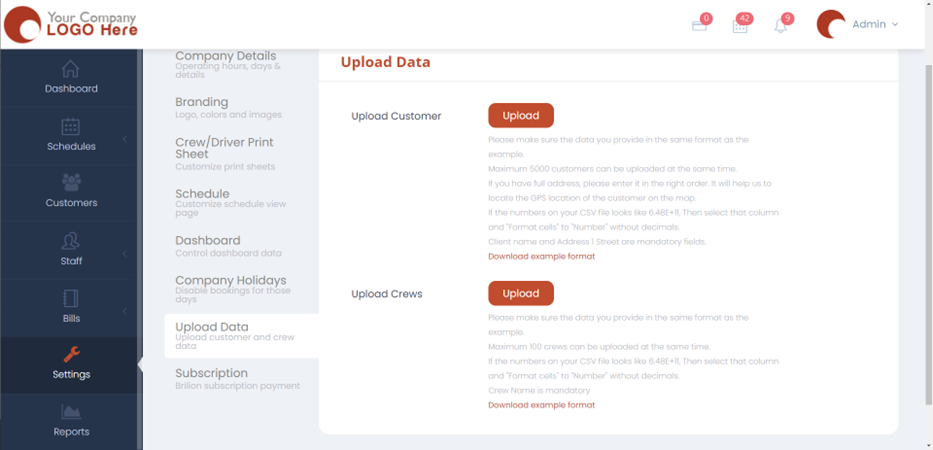
- Next, you need to download the example format by clicking on “Download Example format”.
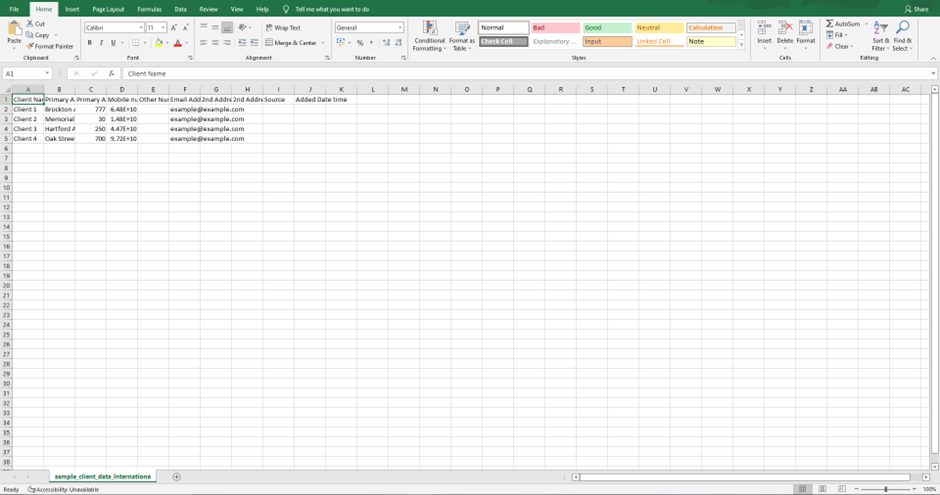
- An excel file with the prefilled format will be saved to your computer. Make sure you type in the required data under the labelled columns. For e.g., the client or the customer’s name needs to be exactly under the “Client name”, their address needs to be exactly under the column where it says “Primary Address” and so on. Fill in for both the customer and the crew data.
- Once done, click on “Upload” for both the customers and crews and upload the files. Once, the files are uploaded, the crew and the customer data will be available under “Schedules” and “Customers”.