

- While making a booking, you can always a note for the crews by navigating to the Notes section on the right side of the booking page.
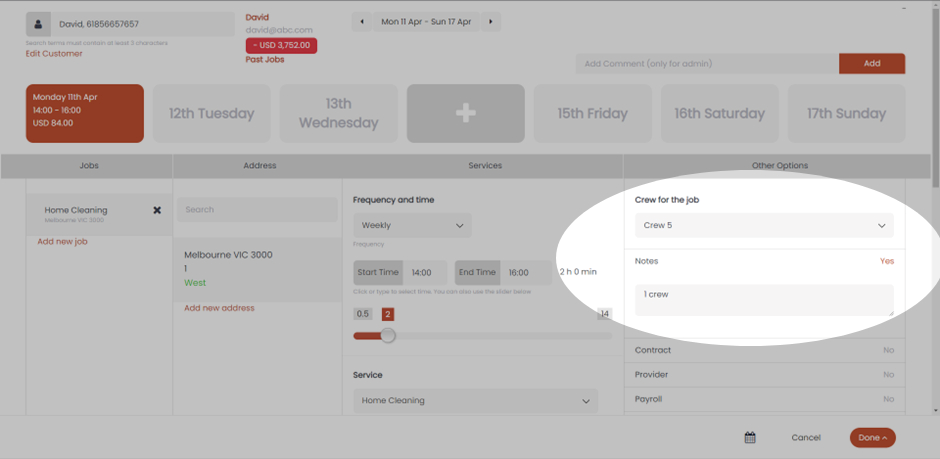
- Here in the case of David, we can see that the Notes has “1 crew” mentioned. This will be visible to the crew and this will notify them that this job needs only one crew. You can also notice that the Frequency and time are Weekly. This means that this note will appear every time the booking the scheduled for the crews.
- In the case of a one-off booking, you’ll see that the Notes will not appear every time the booking is scheduled. To make this Note permanent for the customer you can always add a custom address field and mention a note there.
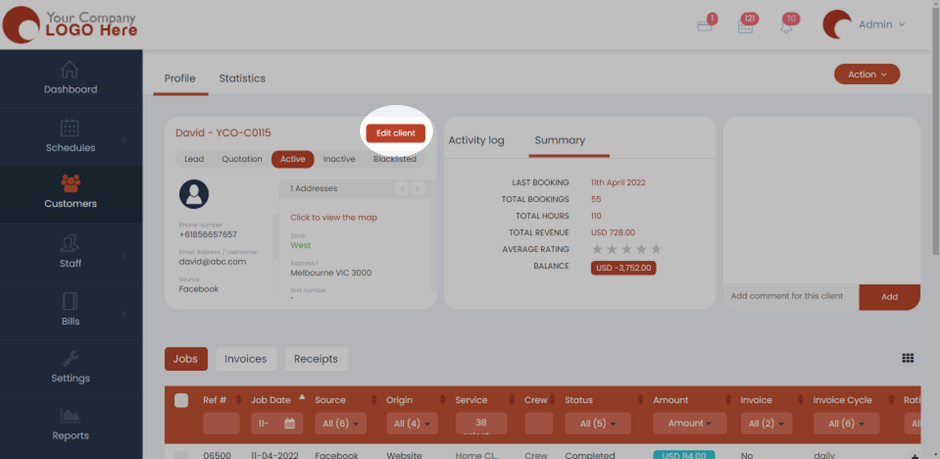
- You can navigate to any customer under the Customers section and click on any customer to open their Profile. Click on Edit Client and now the details that you had filled initially will pop up.
- Here, you can scroll down and click on “Add custom field” and select Text box. You can add the note you want to for this customer and this will remain permanent for this customer.
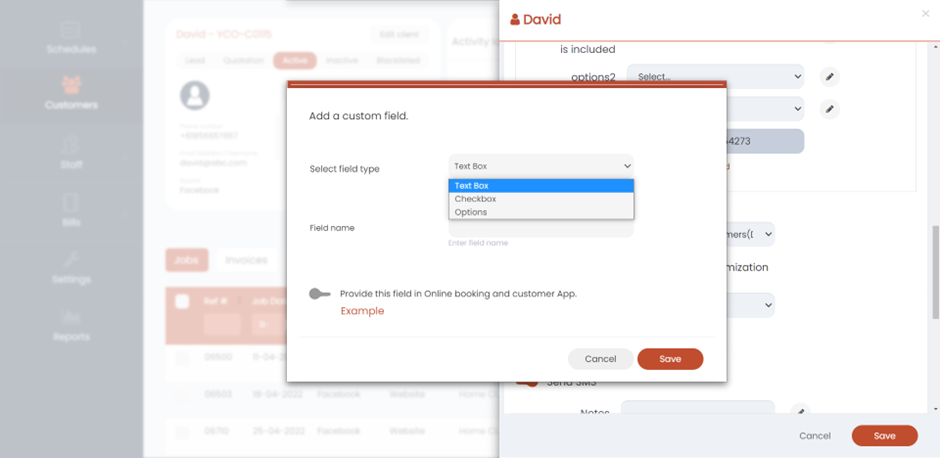
- Click Save and now the settings will be saved.