

- To enable or disable a service, please navigate to Settings > Services.
- You will see your services listed out. To disable a service, click on the red box next to the service and it’ll disable it.
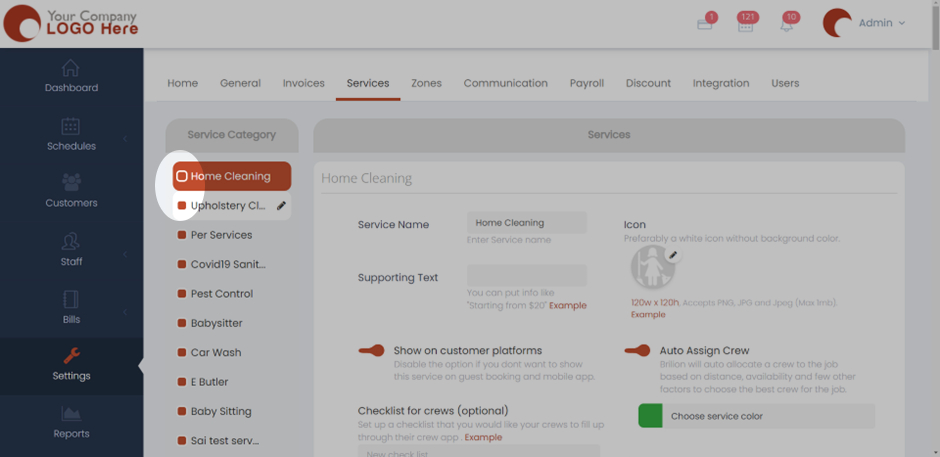
- Here, the Upholstery Cleaning service will be disabled once we click on the box right next to it.
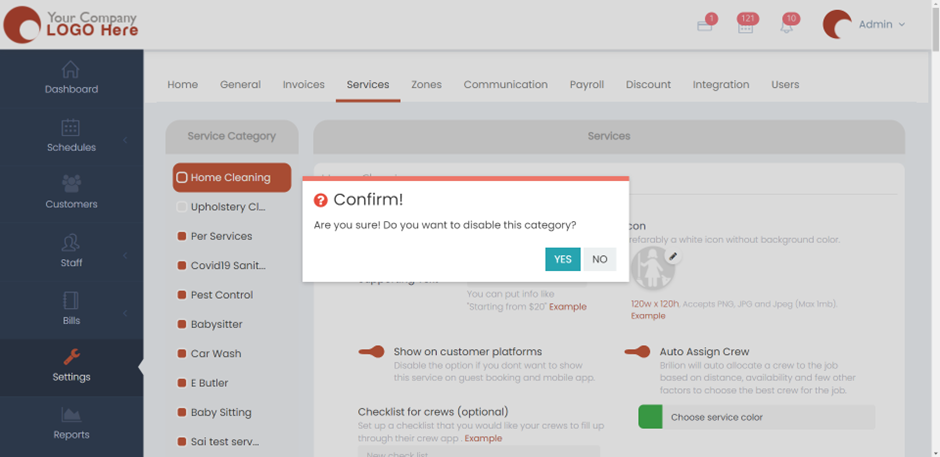
- It will ask you to confirm whether you want to disable the category. Click on Yes and then it will be disabled.