

- To apply cancellation charges, please head over to Settings > Invoices > Cancellation charges.
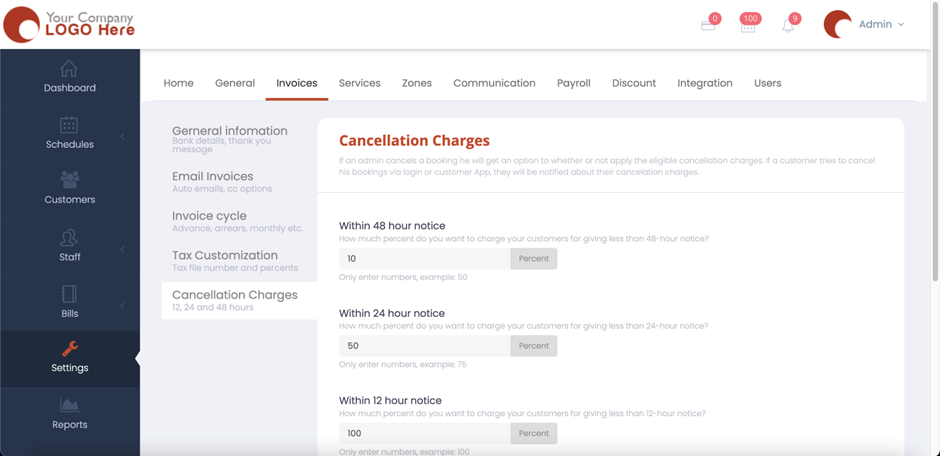
- If an admin cancels a booking, he will get an option to whether or not to apply the eligible cancellation charges. If a customer tries to cancel his bookings via login or customer app, they’ll be notified about their cancelation charges.
- You will be set the percentage of the booking amount that you’d want to be deducted once your customer cancels a booking. These could be within a 48, 28, or 12-hour notice according to how you’ve set them. You also have the option of “Completed Jobs” which is for the scenario where the system has completed the job but the job was cancelled.
- You can also enable to show the service name instead of cancellation charges by enabling it.

- Once you’ve set up your cancellation charges hit “Save” and now the cancellation charges would be applied to the customers whenever they cancel a booking.