

- Outstanding threshold is the maximum amount that your client can owe you. To set the outstanding threshold amount, please navigate to Settings > General > Schedule.
- Next, find where it says Outstanding threshold and type in the amount in the text box right below it.
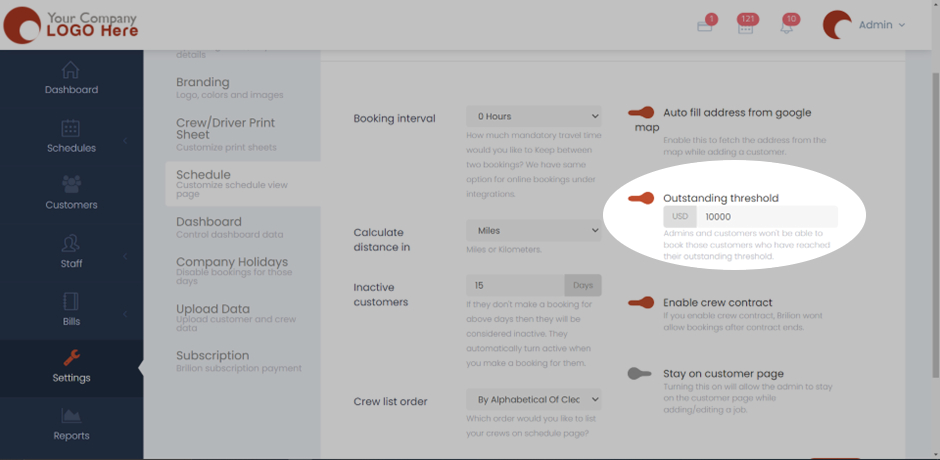
- Here we’ve taken the Outstanding threshold to be USD 10000. Admins and customers won’t be able to book those customers who have reached their outstanding threshold.
- Hit Save and now the outstanding threshold to all clients will be applied.