

NOTE: You’ll require SMS Credits to use this feature.
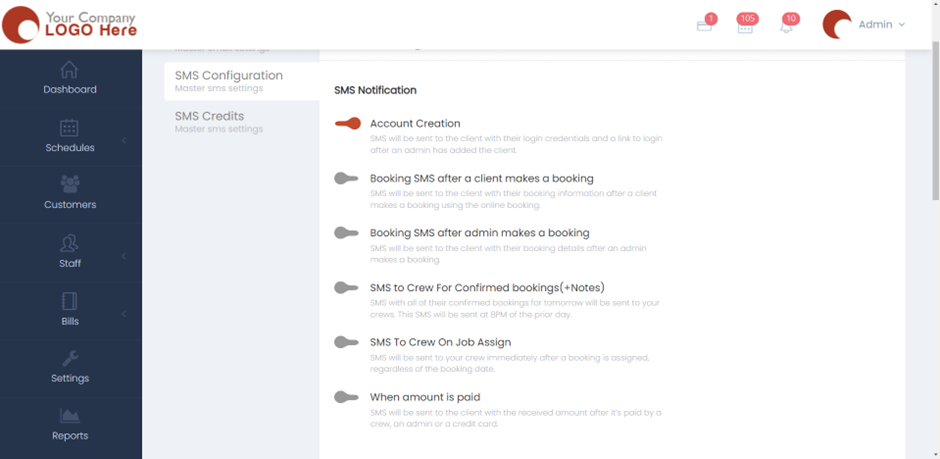
- Please head over to Settings > Communication > SMS Configuration.
- Under SMS Configuration, you’ll find a bunch of buttons to turn either on or off based on your preference. The sentences indicate the functionality of the buttons.
- If you want an SMS will be sent to the client with their login credentials and a link to log in after an admin has added the client, then you’ll need to turn on the button for the first sentence.
- Similarly, you will need to turn these buttons on or off for the Re-schedule notification, Outstanding balance, and Booking confirmation to all clients. We also have the Credential option where an SMS will be sent to all your clients with their login credentials. This email is mainly used for companies who have recently upgraded to a subscription with customer login.
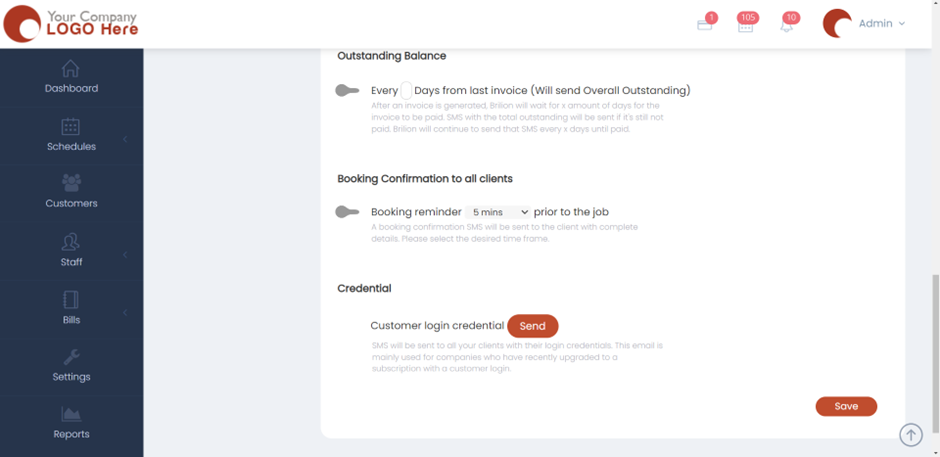
- Hit Save and now the SMS settings will be applied.