

NOTE: This feature can be used by those who are eligible for taxes.
- Please head over to Settings > Invoices > Tax Customization.
- Turn on “I am eligible for taxes” and fill in the Tax type and percent.
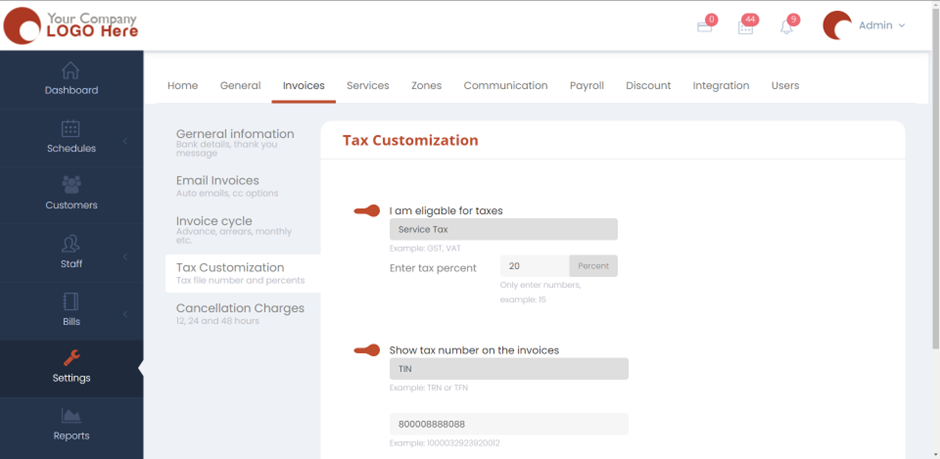
- Turn on show tax number on invoices if you want the tax number to be shown on the invoices for your customers. Fill in the tax type and the number in the given text boxes.
- Click on Save and now the settings would be applied.